The first thing that you have to do is to click on the “Manage” button that you will see when you access your dataset:

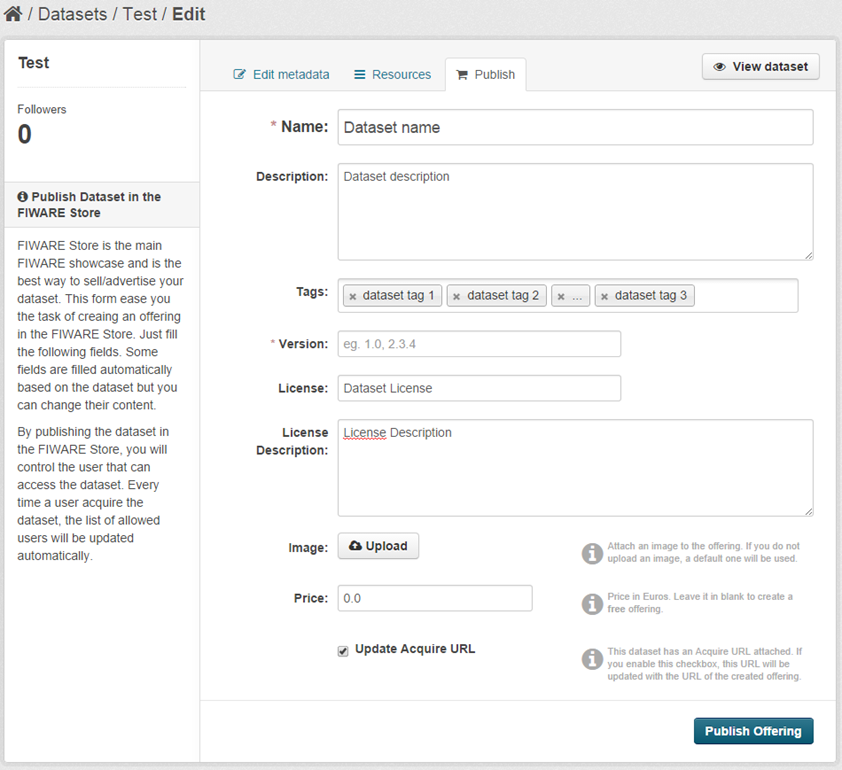
Then, you should select the “Publish” tab. In this tab you will be asked to provide some information of the offering (the name, the description...). If you want to publish a private dataset, you will be asked for a price. We remind you that if you want to create a free offering, you can set the “Price” field to zero. Once that you have filled in the fields, you have to click the “Publish Offering” button to finish the process.